Subscribe:

Intel Launches Cedar Trail Atom D2500 and D2700 CPUs

Intel did say it wasn't going to drop the Atom brand and, sure enough, a couple of D-Series Atoms based on a more advanced manufacturing process have now made their debut.
The Atom brand is one that Intel has used for quite some time, with the netbook and nettop market being the main one responsible for all the attention it got from the media.
Now though, netbooks and nettops have lost much of their thunder, and there were even rumors that the Santa Clara, California-based company would drop the Atom brand altogether.

Intel was quite fast in coming forth and dispelling those rumors, and the arrival of two new, Cedar Trail chips from the series underscores its statement.

The new chips go by the names of Atom D2500 and D2700 and are constructed on the 32nm manufacturing process technology.

They are aimed at nettops (low-end desktops, hence the D) and will be followed by the mobile N2600 and N2800 at some point in the future.

Both newcomers are dual-core units with prices of $42 (31 Euro) and $52 (38.39 Euro) in quantities of one thousand.

The major difference between the two, besides the clock frequencies, is the fact that the D2700, being the stronger of the pair, boasts hyper-Threading technology.

Speaking of clocks, the D2500 has the core and graphics working at 1.86 GHz and 400 MHz, respectively, while the D2700 works at 2.13 GHz and 640 MHz, respectively.

The rest of their specs are mostly identical, with a cache memory (L2) of 1 MB and a TDP (thermal design power) of 10W.

Users that buy systems powered by one of these items, or make one themselves, can expect to enjoy HDMI and DisplayPort connectivity, on-chip decoding of HD video formats, fast memory access and DirectX 10.1 support.

The upcoming N-series will feature the above as well, though a significantly lower TDP, although it does come at a cost of slightly lower frequencies. The NM10 chipset was preserved.
 

Windows 8 Compatibility Center Coming Up

Following the advent of its next major iteration of the Windows client, Microsoft will continue to provide an online hub designed to reveal to customers just what products from the software and hardware ecosystem are compatible with the operating system. 
Essentially, users should get ready for the advent of the Windows 8 Compatibility Center. 
It’s important to note that the Redmond company considers Windows 8 more of a code-name than an actual product brand, and that the successor of Windows 7 might not feature this label. 
As such, the Compatibility Center for Windows 8 will also sport the commercial brand of the operating system, once Microsoft decides on one – it hasn’t happened yet, as far as I can tell.

But the Windows 8 Compatibility Center is indeed coming, and it will be the evolution of the Windows 7 Compatibility Center that continues to be available to customers today.

There’s no telling at this point in time just what changes the software giant will make to the Compatibility Center in order to get it ready for the next version of Windows.

Still, it’s nothing short of a safe bet to expect it to be focused on highlighting the software and hardware that play nice with Windows 8. Users will have an online hub at their disposal which will streamline access to Windows 8 compatible device drivers, software programs, updates, and downloads.

There are additional resources available today on the Windows 7 Compatibility Center, such as the Windows 7 Upgrade Advisor. As far as I’m concerned, it would be a good idea for Microsoft to make sure that users will continue to leverage the advisor and other compatibility tools with Windows 8.

While all software and hardware playing nice with Windows 7’s successor will be listed on the new Compatibility Center, the applications that are Windows 8 certified will automatically be included, Microsoft revealed. 

Download Windows 8 Developer Preview 64 & 32 Bit

The Windows Developer Preview is a pre-beta version of Windows 8 for developers. These downloads include prerelease software that may change without notice. The software is provided as is, and you bear the risk of using it. It may not be stable, operate correctly or work the way the final version of the software will. It should not be used in a production environment. The features and functionality in the prerelease software may not appear in the final version. Some product features and functionality may require advanced or additional hardware, or installation of other software.

Windows Developer Preview English, 64-bit (x64)

Windows Developer Preview English, 32-bit (x86)

Download Facebook Official Messenger [Android and IOS]

Earlier,You have to rely on third party applications but now Facebook has launched its official messenger for Android and IOS operating systems.It is very similar to Blackberry Messenger.It is a free application and can be downloaded from Android Market or App Store.Facebook Messenger allows you to chat with your friends as well access the messages.

You can also see facebook notifications (or even pause them so that you cant get disturbed while chatting),Do group messaging,share your location with messages,attach Photos and much more.Facebook messenger also allows you to send messages to those friends who are not in facebook but are in your phone contact list.They will receive your message via SMS from some random number thus it also act as a free SMS application for phone.


How to share Location Using Facebook Messenger? 

You can share your location by click on the blue arrow in the text box of the application.It will automatically tag your location while sending message.

Facebook is also expected to launch Video chat application as they have already launched Video calling feature for desktop users.

Download Facebook Messenger for Android
Download Facebook Messenger for iOS 

All Facebook Smiley Codes

We all use facebook but still alot of us are unware of how to use smileys in chat.Some of us just think how the other person have sent a smiley.Well it is very simple to send smileys in facebook chat.You have to just enter a code and it will automatically convert into a smiley.I am providing here a complete list of smiley codes that can be used on facebook.Even if you already use or know some of the codes even then you will find this list very useful becuase you will find a lot of new codes


If you liked this post then dont forget to like it on facebook

Facebook Launched Video Chat With Skype Partnership

Finally, Facebook launched video Chat feature.It has partnered with skype for video chat.Facebook has started to feel the heat of competition as Google+ which was launched a week earlier has already features like Group Video chat and now facebook is trying to play the catch up game.

How to use Facebook Video Chat?

Before you start using facebook Video Chat you will need to install the video chat setup
  • Go To Facebook Video Chat Setup page
  • Click on Get Started button
  • Now,It will Download the setup for video chat.
  • After the download is complete click on the setup to install the video chat feature.
  • Once the installation is complete a video calling button will start appearing in your chat window.(see pic below)


 Click on the video calling icon to start video chatting with you friend.

How to Download Facebook Videos

Facebook started supporting video sharing and posting in 2007. Millions of Facebook users and music bands have taken well to sharing videos on their profiles.Facebook now supports high definition playback and longer videos. There are two types of Facebook videos, the ones posted by other users or friends, videos embedded into messages and wall posts.
There is no native support to download the videos on Facebook on to your computer, nevertheless you can download them with a few tricks and tweaks that are browser specific. Many third party extensions, scripts and software allow you to download and watch the videos posted on Facebook. Let us look into some of the ways to download Facebook videos.

 Downloading Facebook Videos Using Browser Tweaks
 Mozilla Firefox
 You can use a Mozilla Firefox add-on to download a Facebook video. Follow these step by step instructions to download the file to your computer: 
  

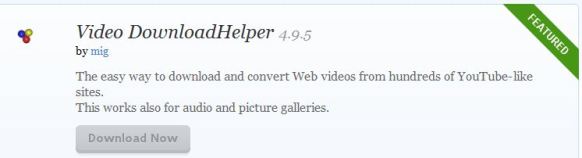
1.   Go to the Video DownloadHelper Firefox add-on page
2. Click on Download Now
3.  Install the add-on for Firefox
4. Restart your browser 

5.  Go to the Facebook video you would like to download and click on the red arrow as shown in the picture below
6.  You have successfully downloaded the video to your computer

 Google Chrome

 The videos that you play on Facebook are saved in Google Chrome’s cache. You can access the cache and download the video on to your computer. Follow these step by step  to download the video

  1.  Go to ChromeCacheView download page
  2.  Download and install the latest version of that software
  3.  Open the ChromeCacheView software once you have viewed a video on Facebook
  4.  Save the selected videos on to your computer as shown in the picture above
  5.  You have successfully downloaded the video to your computer  
 The other methods to download a Facebook video using user scripts and redirection to other third party websites are risky. The above mentioned methods are browser tweaks to download the videos.

Opera 11.51

A full-featured Internet browser, Opera includes pop-up blocking, tabbed browsing, integrated searches, and advanced functions like Opera's groundbreaking E-mail program, RSS Newsfeeds and IRC chat. And because we know that our users have different needs, you can customize the look and content of your Opera browser with a few clicks of the mouse.
Speed Dial: Your favorite sites are just one click away at all times.
Search Shortcuts: Faster search - type your queries directly into the address bar.
Trash Can: Instantly reopen recently closed tabs.
Mouse Gestures: With Opera you can navigate the Web with your mouse.
Opera Link: Synchronize data of your choice online, or among different computers and devices.
Quick Find: Opera remembers not only the titles and addresses, but also the actual content of the Web pages you visit.
Feed Preview: Preview a Feed by clicking on the feed icon, and you will see it in clean and efficient multiple-column layout.
Quick and customizable Web search: Get quick access to Google, eBay, Amazon and more with the search field in the upper right corner.


How to Secure your Gmail Account from Hackers

All of us have our Email Accounts on Gmail, Yahoo, Hotmail etc.Phising and hacking are on the rise and many of us have already faced the situtaions when our email Id has been compromised.It is very difficult to estimate the loss which one undergoes once his email ID has been hacked.

Now you can add an extra layer of security in your Gmail Account.After enabling this feature you have to enter an addtional verification code (sent to your mobile) to login into your account.So,if somebody hacked your password even then he won’t be able to access your email account.

How to Secure Gmail Account:-
Login to your Gmail Account.
Now open this link  https://www.google.com/accounts/SmsAuthConfig
Click on the Start Setup button.

Firefox 7.0 Beta 6

The Web is all about innovation, and Firefox sets the pace with dozens of new features to deliver a faster, more secure and customizable Web browsing experience for all.

User Experience. The enhancements to Firefox provide the best possible browsing experience on the Web. The new Firefox smart location bar, affectionately known as the "Awesome Bar," learns as people use it, adapting to user preferences and offering better fitting matches over time.

Performance. Firefox is built on top of the powerful new Gecko platform, resulting in a safer, easier to use and more personal product.

Security. Firefox raises the bar for security. The new malware and phishing protection helps protect from viruses, worms, trojans and spyware to keep people safe on the Web.

Customization. Everyone uses the Web differently, and Firefox lets users customize their browser with more than 5,000 add-ons.